- Shehr Yar
- 9 October, 2025
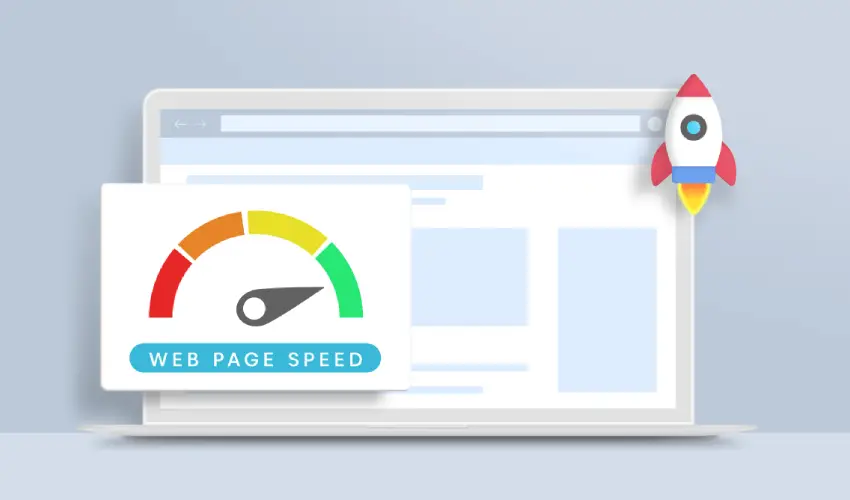
In today’s fast-paced digital world, website speed has become one of the most crucial factors for online success. A website that loads quickly not only provides a better user experience but also ranks higher in search engines and increases conversions. On the other hand, a slow-loading website can frustrate users, harm credibility, and lead to a loss of traffic and revenue. In this article, we’ll discuss why website speed matters and explore practical ways to improve it.
Why Website Speed Matters
1. First Impressions Count
Your website is often the first point of contact between your business and potential customers. A site that takes too long to load can leave a negative first impression. Research shows that users form an opinion about a website within seconds, and if your site doesn’t load within 3 seconds, most visitors will likely leave. Fast websites create a sense of professionalism, reliability, and trustworthiness, while slow ones drive users away.
Improved User Experience
Website speed directly affects how users interact with your site. A fast website allows users to browse pages smoothly, find information quickly, and enjoy their overall experience. When visitors can easily navigate your website, they are more likely to stay longer, engage with your content, and return in the future. On the other hand, if your pages take forever to load, users will abandon them and may never come back.
Better Search Engine Rankings
Search engines like Google prioritize fast-loading websites in their ranking algorithms. Page speed is a confirmed ranking factor for both desktop and mobile searches. Google wants to ensure that users get the best experience possible, and that includes delivering fast and reliable websites. If your website loads slowly, it can negatively affect your SEO performance, making it harder for your content to appear at the top of search results.
Higher Conversion Rates
A faster website often means higher conversions. Studies have found that even a one-second delay in page load time can reduce conversions by 7%. If you run an online store, a slow checkout process can discourage users from completing purchases. Faster websites help users move smoothly through your sales funnel — from browsing products to making a payment — without frustration or hesitation.
Reduced Bounce Rate
The bounce rate measures the percentage of visitors who leave your website after viewing only one page. Slow websites tend to have higher bounce rates because users don’t want to wait for pages to load. By improving your site speed, you encourage visitors to explore more pages, read more content, and spend more time on your website.
How to Improve Website Speed
Improving website speed involves both technical and strategic steps. Below are some of the most effective ways to optimize your website for faster performance.
Optimize Images
Images often make up the largest portion of a webpage’s size. Large, unoptimized images can drastically slow down your website. To fix this:
- Compress images without losing quality using tools like TinyPNG or ImageOptim.
- Use the correct file formats (JPEG for photos, PNG for graphics).
- Implement modern formats like WebP for even better compression.
- Use responsive images that adjust automatically to screen size.
Enable Browser Caching
When users visit your site, some files are stored in their browser cache. This allows returning visitors to load pages faster because their browser doesn’t need to download everything again. You can enable browser caching by modifying your website’s .htaccess file or using caching plugins if you’re on WordPress.
Use a Content Delivery Network (CDN)
A CDN is a network of servers located around the world. It stores copies of your website’s static files and delivers them to users from the nearest server location. This reduces latency and improves loading times, especially for international visitors. Popular CDNs include Cloudflare, Amazon CloudFront, and Akamai.
Minimize HTTP Requests
Every element on a webpage—images, scripts, stylesheets, and fonts—requires an HTTP request. The more requests your site makes, the slower it becomes. To reduce this:
- Combine multiple CSS and JavaScript files into one.
- Remove unnecessary plugins and scripts.
- Use CSS sprites for icons and small images.
Optimize Your Code
Clean, efficient code helps your website load faster. You can:
- Minify CSS, HTML, and JavaScript to remove unnecessary spaces and characters.
- Use asynchronous loading for JavaScript files.
- Eliminate render-blocking resources that delay page rendering.
Choose a Reliable Hosting Provider
Your web host plays a major role in website performance. Shared hosting plans are often cheaper, but they can slow your site if other users on the same server use too many resources. Consider switching to a VPS (Virtual Private Server) or dedicated hosting plan for better speed and reliability. Cloud hosting platforms like AWS, Google Cloud, or SiteGround also offer optimized performance.
Enable GZIP Compression
GZIP compression reduces the size of your website files before they are sent to the browser, significantly decreasing load times. You can enable GZIP compression through your server settings or with plugins such as WP Rocket or W3 Total Cache for WordPress users.
Monitor and Test Regularly
You can’t improve what you don’t measure. Regularly test your website speed using tools like:
- Google PageSpeed Insights
- GTmetrix
- Pingdom Tools
These tools provide detailed reports and suggestions for optimization. Continuous monitoring ensures your website remains fast as you add new content or features.

Related Post