- Shehr Yar
- 29 June, 2026
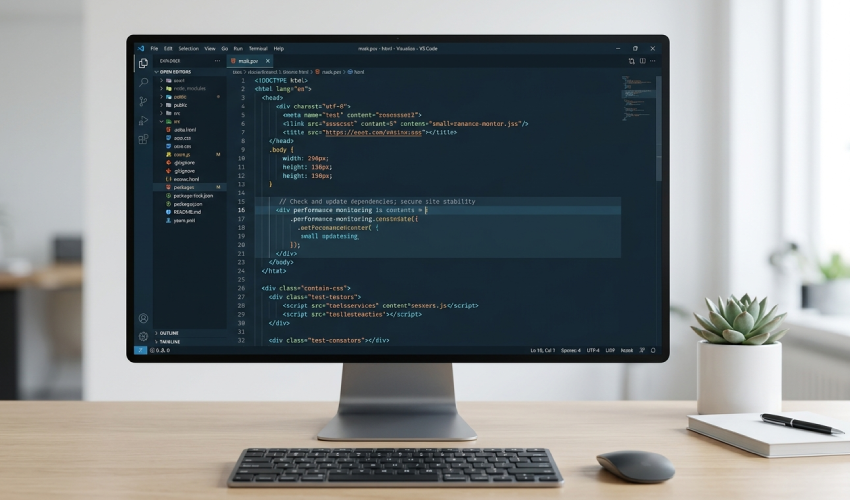
Every front-end project starts clean. Then deadlines pile up, new features get added in a hurry, and small shortcuts turn into bad habits. Before long, the codebase becomes hard to read, slow to update, and frustrating to work with. This is where the process to improve front end code becomes necessary, not optional.
A messy codebase does not just look untidy. It slows down development, increases bugs, and makes onboarding new developers harder. Cleaning it up is one of the most valuable things a development team can do for long-term project health.
What a Messy Front-End Codebase Looks Like
Most messy codebases share a few common signs:
- Repeated code blocks copied across multiple files
- Inconsistent naming for classes, variables, and components
- Deeply nested or unorganized folder structures
- Mixed coding styles from different contributors
- Unused files, components, or styles still sitting in the project
- Components that try to do too many things at once
None of these issues happen overnight. They build up slowly, especially in fast-paced projects where speed is prioritized over structure.
Why Cleaning Up Front-End Code Matters
A clean codebase is not just about appearance. It directly affects performance, maintainability, and team productivity.
When code is organized:
- Bugs are easier to find and fix
- New features can be added faster
- Page load speed often improves
- Collaboration between developers becomes smoother
- Long-term maintenance costs go down
On the other hand, ignoring messy code creates a snowball effect. Every new feature added on top of bad structure makes the problem bigger and harder to fix later.
Key Benefits of Improving Front-End Code
Improving a front-end codebase brings benefits beyond just cleaner files. Some of the biggest advantages include:
- Better performance: Removing unused styles and scripts reduces page weight.
- Easier debugging: Clear structure makes it simple to trace issues.
- Stronger scalability: Clean code adapts better to future features.
- Improved teamwork: Developers can understand each other’s work quickly.
- Better user experience: Faster, more stable interfaces lead to happier users.
These benefits are why experienced developers treat code cleanup as a regular task, not a one-time event.
Practical Ways to Improve Front-End Code
Improving a messy codebase does not require rewriting everything from scratch. A structured, step-by-step approach works best.
Start With a Code Audit
Before making changes, review the codebase carefully. Identify duplicate code, unused files, inconsistent naming, and outdated dependencies. This step creates a clear picture of what needs attention.
Standardize Naming Conventions
Consistent naming for classes, components, and files makes the entire project easier to navigate. A simple naming system, followed strictly, prevents confusion as the project grows.
Break Down Large Components
Components that handle too many responsibilities become difficult to maintain. Breaking them into smaller, reusable pieces improves readability and makes testing easier.
Remove Unused Code
Old styles, unused JavaScript functions, and outdated components often stay in a project long after they are needed. Removing them reduces file size and confusion.
Organize Folder Structure
A logical folder structure—grouped by feature or component type—makes it easier for developers to find what they need without digging through unrelated files.
Apply Consistent Formatting
Using a formatting tool or style guide ensures that all code follows the same pattern, regardless of who wrote it. This small step significantly improves readability.
Optimize Performance
Compressing images, lazy-loading components, and minimizing render-heavy operations are common ways to boost speed once the structure is cleaned up.
Document Key Decisions
Adding short comments or documentation for complex logic helps future developers understand the reasoning behind certain code choices.
Best Practices to Keep Code Clean Long-Term
Cleaning a codebase once is helpful, but keeping it clean is even more important. Some practical habits include:
- Reviewing code regularly instead of waiting for major issues
- Using linters and formatters to catch problems early
- Avoiding quick “temporary fixes” that often become permanent
- Keeping components small and focused
- Writing reusable functions instead of repeating logic
- Following a consistent design system across the project
Many development workflows, including those followed by Shehryar Dev, rely on these simple but effective habits to maintain clean, scalable front-end code across different types of projects. Treating code quality as an ongoing responsibility—rather than a one-time fix—is what separates strong front-end projects from fragile ones.
A Simple Example
Imagine a project where button styles are duplicated across ten different files, each with slightly different padding and colors. Instead of repeating the same styles everywhere, creating one reusable button component solves the problem instantly. Future updates only require changing one file, not ten.
This is a small example, but it reflects a larger truth: most front-end problems come from repetition and inconsistency, not from complex logic.
Conclusion
A messy front-end codebase is common, but it does not have to stay that way. With a clear plan—auditing the code, organizing structure, removing unnecessary files, and applying consistent standards—any project can become easier to manage and faster to build on.
Taking the time to improve front end code leads to better performance, smoother teamwork, and a more scalable product in the long run. Approaches like the ones used by Shehryar Dev show that clean code is not about perfection—it is about consistency, clarity, and long-term thinking.

Related Post