- Shehr Yar
- 27 July, 2026
A beautiful design is only the beginning of a successful website. Until visitors can open it in a browser, click buttons, scroll through pages, and interact with its features, it remains only a visual concept.
This is where the Figma to website process becomes essential. Developers transform static Figma designs into fully functional websites that work smoothly across different devices and browsers. However, this process involves much more than copying colours, fonts, and spacing. It requires clean code, responsive layouts, and careful attention to performance.
In this guide, you’ll learn how developers convert Figma designs into live websites and why this process plays such an important role in modern web development.
What Figma to Website Actually Means
Figma is one of the most popular design tools used to create website layouts. Designers use it to define colours, typography, spacing, buttons, icons, and page structure.
However, a Figma file cannot function as a website on its own. It cannot respond to clicks, load inside a browser, or communicate with a server.
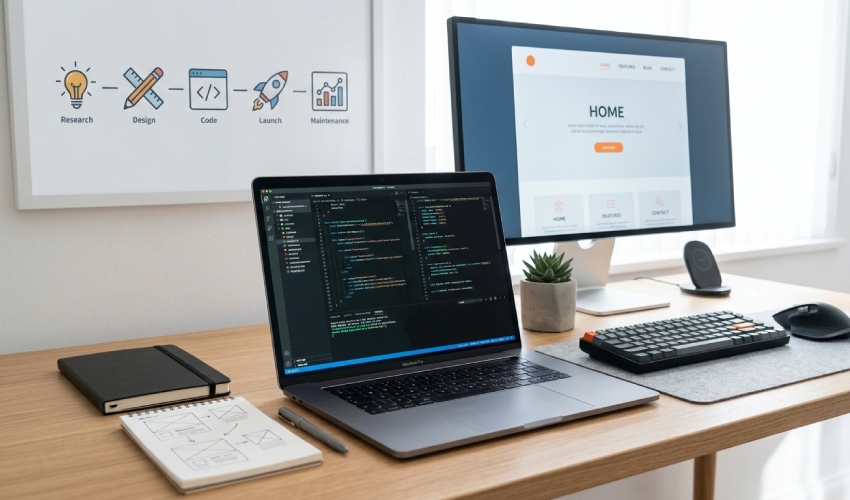
To make the design usable, developers recreate every section using technologies such as HTML, CSS, and JavaScript. As a result, the design becomes a responsive, interactive website that visitors can actually use.
Why This Process Matters
Many people assume that building a website simply means copying a design. In reality, the process is much more detailed.
A design usually represents a single screen size. A live website, on the other hand, must work perfectly on mobile phones, tablets, laptops, and desktop computers.
In addition, the website should load quickly, remain accessible, and provide a consistent experience across different browsers.
If developers skip these details, the final website may look different from the original design. Even worse, it may become slow, difficult to navigate, or frustrating for visitors.
How Developers Approach the Process
A well-developed website delivers far more than an attractive appearance.
When developers carefully convert a Figma design into code, businesses benefit from several improvements. The website remains visually consistent with the original design while loading faster and performing better. It also adapts smoothly to different screen sizes, allowing visitors to enjoy the same experience on every device.
Interactive features such as forms, buttons, sliders, and menus also work correctly, creating a more professional user experience that builds trust with potential customers.
How Developers Approach the Process
Reviewing the Design Thoroughly
Before writing any code, developers study the Figma file closely. This includes checking spacing, font sizes, color codes, and how different sections are structured. Understanding the design’s intent helps avoid guesswork later.
Breaking the Design into Components
Instead of building a page as one large block, developers break it into smaller, reusable sections, such as headers, buttons, cards, and footers. This approach makes the website easier to maintain and update later.
Converting Design into Clean Code
This is where the actual development happens. Layouts are built using HTML and CSS, while JavaScript adds interactivity where needed, such as dropdown menus, sliders, or form validation. Clean, well-structured code makes the website faster and easier to scale.
Making the Website Responsive
Since Figma designs are often created for one screen size, developers adjust the layout so it works properly on mobile phones and tablets too. This includes resizing text, rearranging sections, and ensuring buttons remain easy to tap on smaller screens.
Testing Across Devices and Browsers
Once the website is built, it needs to be tested across multiple browsers and devices to catch any inconsistencies. A layout that looks perfect on one browser might shift slightly on another, so this step helps maintain a consistent experience everywhere.
A Practical Example
Consider a business that hands over a fully designed homepage in Figma, expecting a smooth translation into a live website. A skilled developer reviews the file, identifies reusable components, and rebuilds the page with responsive behavior in mind from the start. This kind of careful, detail-focused execution is something developers like Shehryar Dev often emphasize, treating the design not just as a visual reference but as a blueprint for a fully functional website.
The result is a site that feels true to the original design while performing well across every device.
Conclusion
Turning a Figma design into a live website involves much more than writing code. It requires careful planning, responsive development, performance optimisation, and thorough testing.
When the process is handled correctly, businesses receive a website that stays true to the original design while delivering excellent speed, usability, and user experience.
At Shehryar Dev, every Figma to website project is developed with clean code, responsive layouts, and SEO best practices. The goal is simple: build websites that look exceptional, perform flawlessly, and help businesses grow online.

Related Post