- Shehr Yar
- 6 May, 2026
A visitor lands on your page. They find what they need and click the button.
Nothing happens.
They try again. Still nothing. Then they leave.
Buttons not working on a website is not a small issue. It directly breaks the conversion process at the worst possible moment.
Whether it is a contact button, a checkout link, or a form submission, every failure costs a real opportunity.
The difficult part is this: the problem is not always visible. The button looks fine. The page looks normal. However, something behind the scenes is not working
The Most Common Culprit: Overlapping Elements
This is one of the most common and most overlooked issues.
Sometimes, a button is fully visible but cannot be clicked. This happens because another element is sitting on top of it.
For example, a transparent layer, an image, or a sticky header may block the button.
The button itself is not broken. It is simply not reachable.
You can check this using browser developer tools. When you inspect the element, you can see which layer is actually receiving the click.
This issue appears more often on mobile devices. Elements like chat widgets, headers, or banners may extend further than expected and block buttons underneath
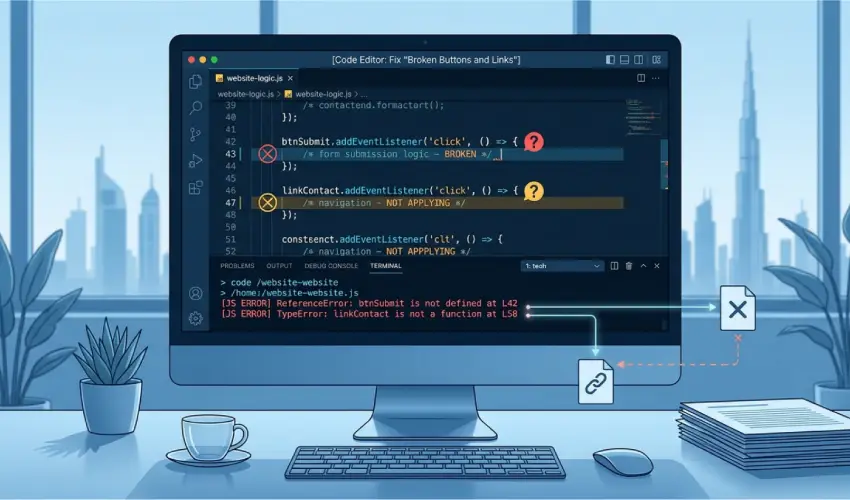
JavaScript Errors Breaking Functionality
Many buttons rely on JavaScript to work.
If the script fails, the button stops responding.
This can happen if:
- A file fails to load
- Scripts load in the wrong order
- There is a coding error
When this happens, the button still looks correct. However, it does nothing when clicked.
You can find these issues in the browser console. Errors will usually appear after clicking the button.
Plugin conflicts are a common cause, especially on CMS platforms. Two scripts can interfere with each other and break functionality
CSS Pointer Events Disabled
There is a CSS property called pointer-events.
When it is set to none, the element cannot be clicked.
This is sometimes used intentionally. For example, during a loading state.
However, it can also be applied by mistake. This may happen due to inherited styles, theme updates, or copied CSS.
The button looks normal, but it does not respond.
You can confirm this by checking the computed styles in developer tools.
Broken or Missing Links
Sometimes, the issue is very simple.
The button or link may not have a proper destination.
For example:
- An empty href
- A placeholder link
- A broken URL
- A missing form action
In these cases, the button either does nothing or behaves incorrectly.
This often happens on websites that are updated frequently. Pages change, but links are not updated.
Buttons Too Small on Mobile
On mobile, the problem is sometimes not technical.
The button works, but users cannot tap it properly.
If the button is too small, users may tap outside it by mistake.
Google recommends a minimum tap size of 48×48 pixels.
This issue is common with icons and small buttons.
The solution is simple. Increase the size or add more padding.
However, this should be tested on real devices, not just in browser previews.
How to Diagnose the Problem
When a button stops working, follow a simple process.
First, open developer tools and check the console for errors.
Next, inspect the element and look for pointer-events: none.
Then, check if another element is overlapping the button.
Finally, verify that the link or action is correct.
At Shehryar Dev, this step-by-step check is always done before making any fixes. It saves time and avoids unnecessary changes.
Conclusion
Buttons and links usually fail for a few clear reasons.
These include overlapping elements, JavaScript errors, disabled pointer events, broken links, or poor mobile design.
The good news is that these problems are easy to fix once identified.
The key is knowing where to look.
Browser developer tools make hidden issues visible. Once you understand the cause, the solution becomes straightforward.
Buttons are critical to conversions. When they fail, the impact is immediate. Fixing them quickly makes a real difference.

Related Post